


Facebook TouchPoint

After you have created a Facebook page, you can add it as a TouchPoint to ROGER365io. Currently only Facebook Messaging is supported, so posts to the Facebook page are ignored.
Connect Facebook Page
- Open web browser and go to: https://admin.roger365.io
- Login with Microsoft 365 credentials
- Go to [Social Messaging], [TouchPoints]
- Click [+Add TouchPoint] and select [Facebook]
- Click the ‘Login with Facebook’ button
- Login to Facebook
- Select the Facebook page you would like to connect
- Enter a friendly name at ‘Name’
- Select the Timezone
- click Save
Set correct app permissions
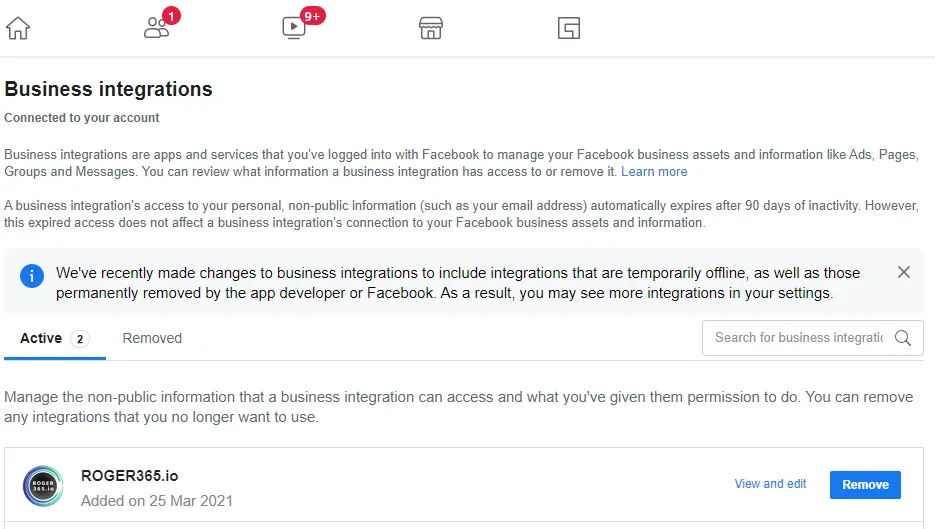
Browse to: https://www.facebook.com/settings/?tab=business_tools and click ‘View and edit’ next to the ROGER365.io Business Integration. Check the correct pages on which you would like to enable the ROGER365.io integration and click Save.
Create a flow
After adding the Facebook page as a TouchPoint, you have to create a flow and if you haven’t create it yet: add a Microsoft Teams channel where the messages should be routed to. Check this page how to create a flow from the library.
Adaptive Card
Finally you can assign a Facebook adaptive card to the Teams channel, check this page how to create one.