


Classification Action Configurations

Prerequisite: Deploy text embedding model within created earlier Foundry resource group (used in Azure OpenAI Endpoint). Keep in mind the cost aspect for using text embedding model.
The Classification Action Configurations (part of the AI Flow enterprise feature) enables portal administrators to define clear instructions (descriptions) for selected Classification items (labels). These instructions are passed to created earlier text-embedding model, which evaluates completed call transcripts and automatically assigns the appropriate classifications. This AI powered action reduces the need for manual call classification, shortens processing time, and helps teams stay focused on their primary responsibilities by automating repetitive labeling tasks.
The AI Classification configuration must be assigned to created earlier Flow.
To create configuration for Classification action, navigate to “Classification Action Configurations” page in ROGER365.io admin portal and press “+Add” button.
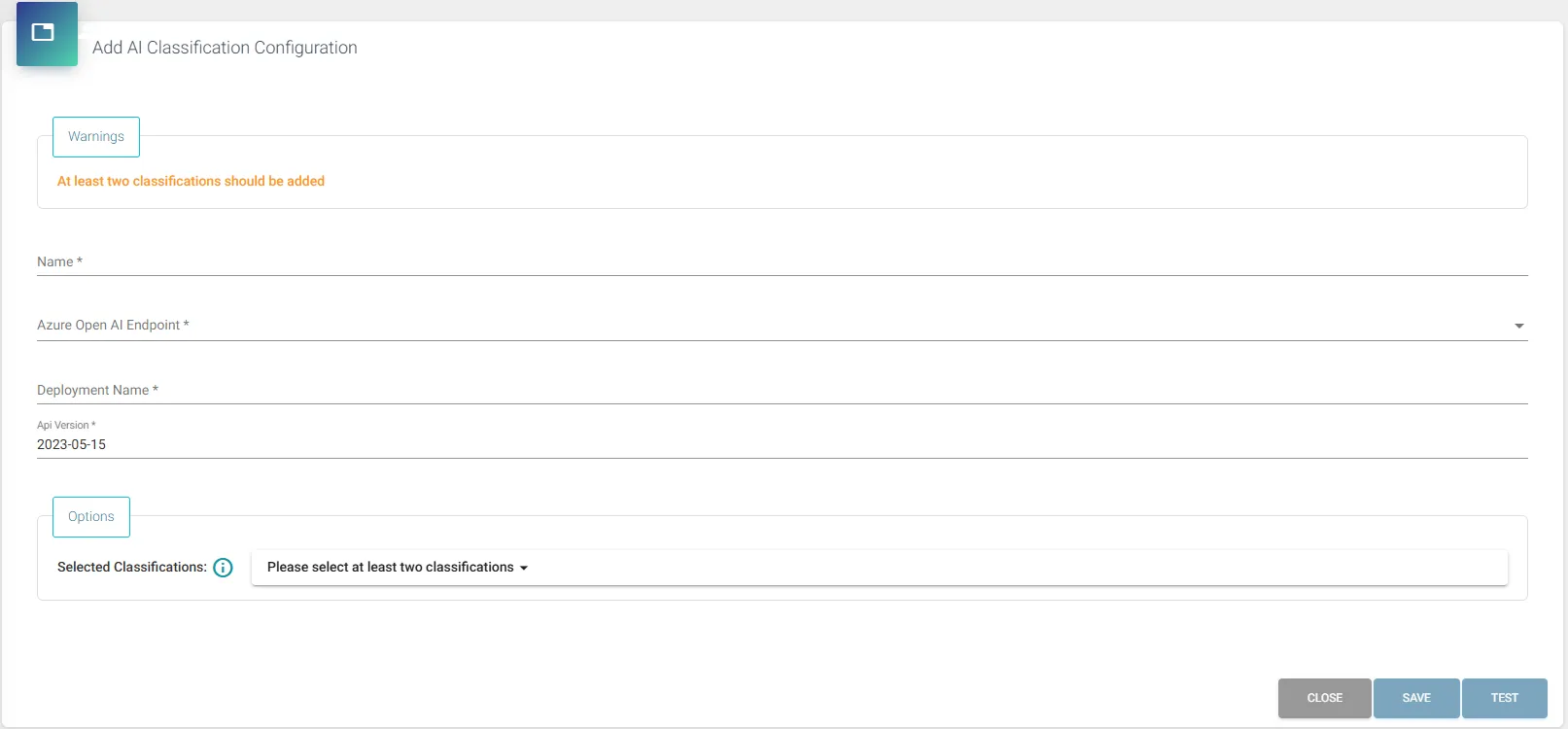
- Name: Provide a name for the AI Classification config which will be visible at Flows admin page.
- Azure Open AI Endpoint: Select from list created earlier Azure Open AI Endpoint.
- Deployment Name: Provide deployment name of the text embedding model (unique within your Foundry resource group). If not altered, it’s the name of the text embedding model, for example – “text-embedding-ada-002”.
- Api Version: Provide API version generated by the deployed model, version can be found in Endpoint’s URL within Microsoft Foundry portal.
- Options: This section allows to select created earlier Classification items, upon selection portal admins can provide instructions (descriptions) for each Classification item.
- Providing clear and relevant details is crucial for the AI model to accurately classify the customer call interactions!
For maximum accuracy of the model, portal administrators must avoid high similarity levels between each classification item. Alike descriptions will be pointed out at the top of the configuration window, also marking relevant text in red for quicker identification.
After creation, it is possible to test the accuracy of the model (according to its instructions) directly from the same admin page using “Test” button. It allows for even greater tuning of your text embedding model.
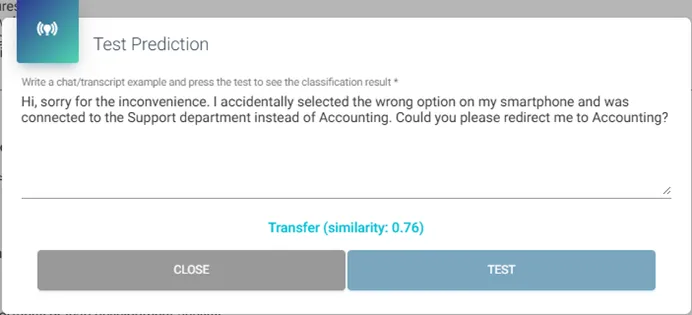
You can check whether specific call interaction has been automatically labeled by AI Flow’s Classification action via:
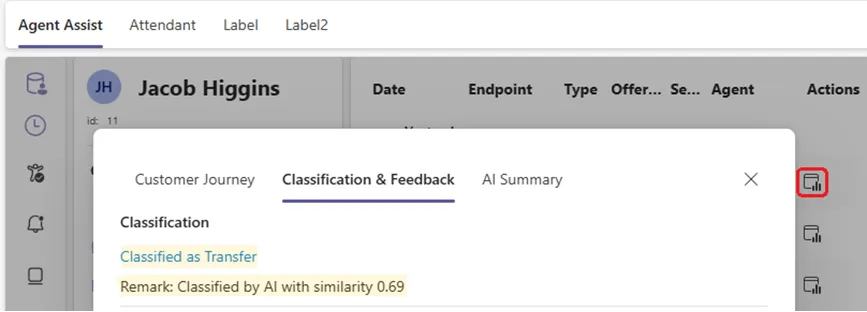
Important Notes:
- Manual Classification by an agent does not trigger the AI Flow’s Classification action.
- Accuracy of the AI Classification action is fully depended on – received call transcript, quality of text-embedding model and given instructions. The ROGER365.io platform does not have direct influence over received results.