


Call Park

Call Park
It is possible to park (hold) the caller for yourself or another agent from the Call Park group configured earlier.
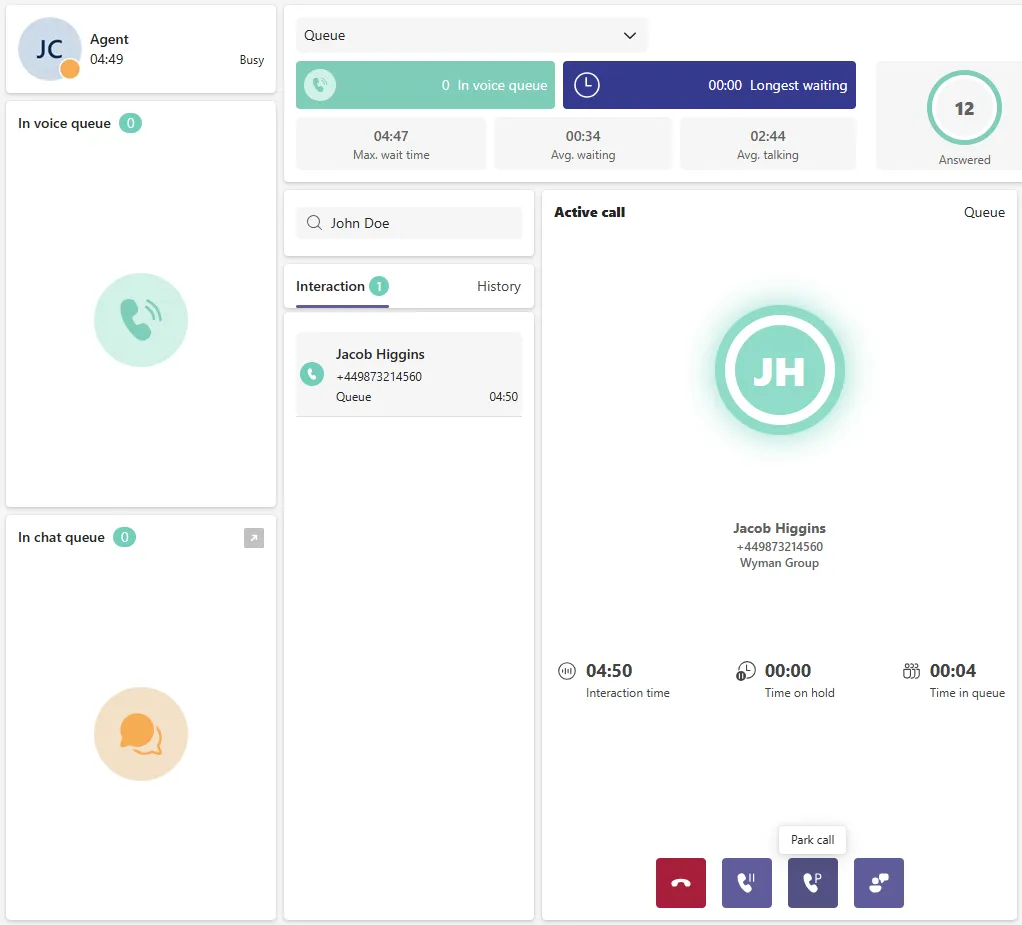
First an agent has to be in active call, and locate first button from right named “Park call”:
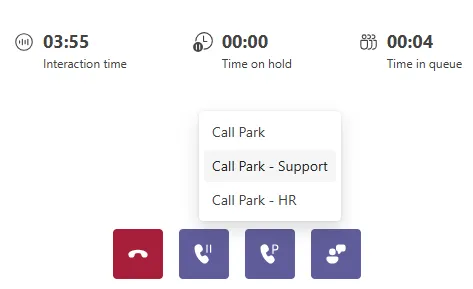
Select Call Park group (available after assignment):
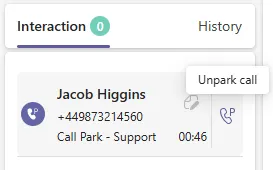
The call is now parked, it is possible to assign note to parked call which is visible for every agent in the same Call Park group. To unpark the call, an agent have to hover over parked call, press “Unpark Call” button, and accept incoming call:
Ensure that your Teams status is not set to 'Do Not Disturb' or any status that automatically rejects incoming calls before un-parking a call. Additionally, do not set your ROGER status to 'Available' during an active call, as failing to observe this may result in the agent receiving an additional call while the current one is still in progress. If the same call is parked a second time, the previously assigned note will remain visible — be sure to update it if necessary.