


Audit

The Audit Log page provides a record of all configuration changes made on the platform, showing what was changed, when, and by whom. This gives administrators full traceability of activity across the platform. You can find this page under the Contact Center section in the left-hand menu.
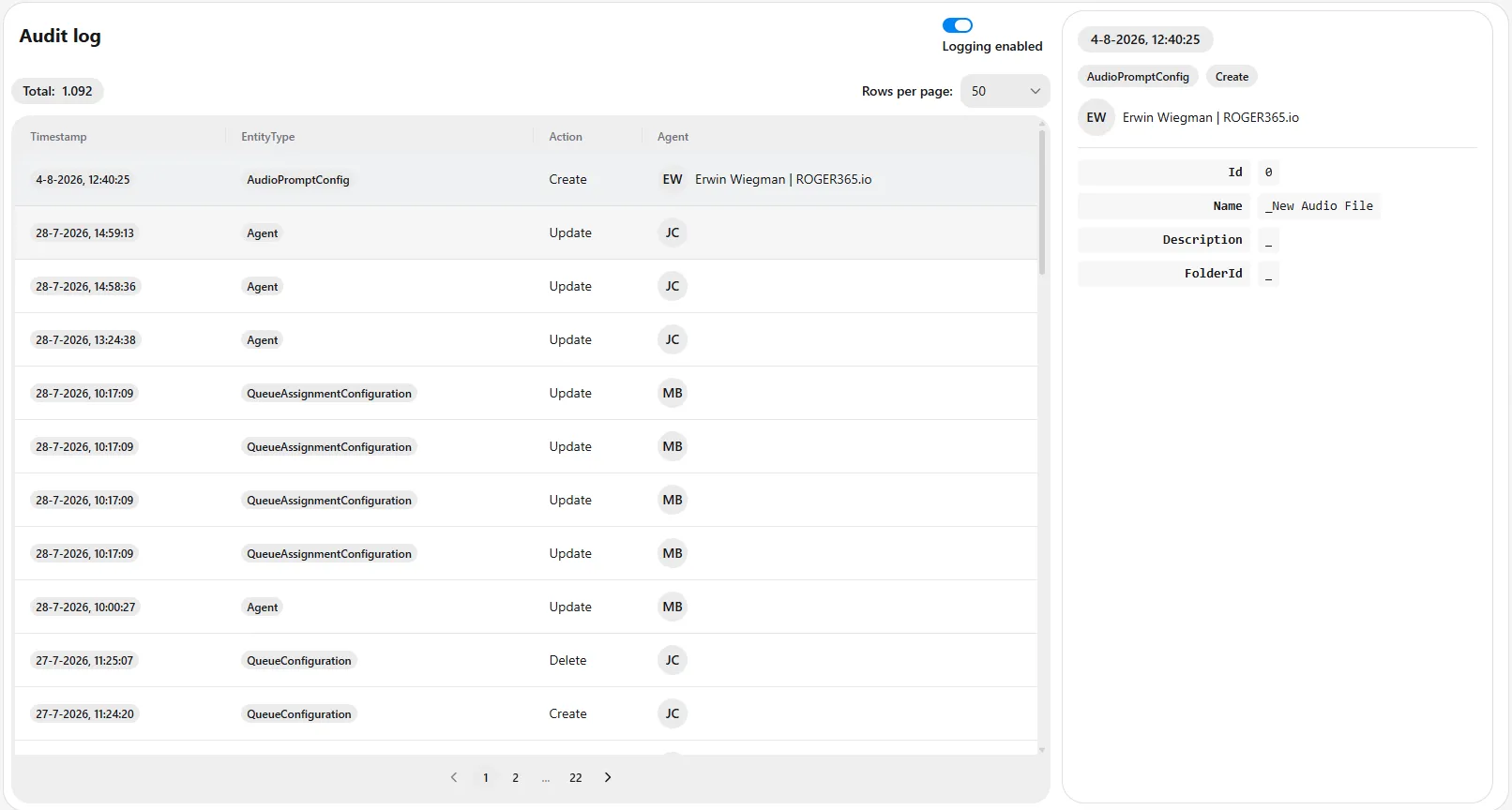
Understanding the page
The page is divided into two areas: the audit entry list on the left and the detail panel on the right.
Enabling logging
The Logging enabled toggle in the top-right corner controls whether audit logging is active. When enabled, all configuration changes are recorded in the audit log. Default the audit logging is turned off.
Audit entry list
The counter at the top shows the total number of audit entries (in this example, 1,092). You can adjust how many entries are shown at a time using the Rows per page dropdown. Each entry is listed in a table with the following columns:
- Timestamp – The date and time the change was made.
- EntityType – The type of item that was changed, such as AudioPromptConfig, Agent, QueueConfiguration, or QueueAssignmentConfiguration.
- Action – The type of change, such as Create, Update, or Delete.
- Agent – The user who made the change, shown with their initials and name.
Use the page navigation at the bottom to move through the entries across multiple pages.
Detail panel
Click an entry in the list to view its full details in the panel on the right. This panel shows:
- The timestamp of the change.
- The entity type and action (for example, AudioPromptConfig and Create).
- The user who made the change.
- The specific field values associated with the entry, such as Id, Name, Description, and FolderId.
Using this information, administrators can review the history of configuration changes and see exactly what was modified in each action.