Phonebook

Search your CRM for contacts from Teams
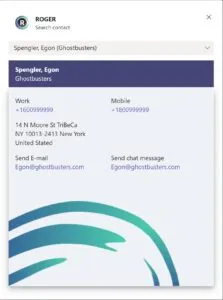
With the phonebook application, you can quickly search from Teamsin your CRM contacts database. By just entering a few characters from a contacts name or company, the phonebook shows you the found contacts. On the results page you’ll see the contacts address, phonenumbers and email address. By just clicking the phonenumber a call from your Teams client will be initiated. You can also click the email address to send an email or choose to start a chat conversation from Teams with the found contact.
Embedded in Teams
The phonebook is accessable via the conversation context menu everywhere in Teams. By just clicking the ROGER icon and selecting ‘search contact’ you can start searching.
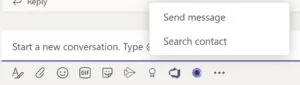
Then just search for a contact, company name or phonenumber. You can also use a wildcard like *smith or *12345. When you select a found contact, all data is displayed