


Graphical Designer

The graphical designer is a workflow design tool. With the graphical designer ROGER365.io is configured how to respond and what to do in certain scenario’s.
Designer
The top “Tool bar” contains general actions like [Save], also the flowchart variables are set here. The left panel has the available actions, the middle “flow area” is the zone were the flow is built and the right “properties” panel is used to fill in data to specify the actions.
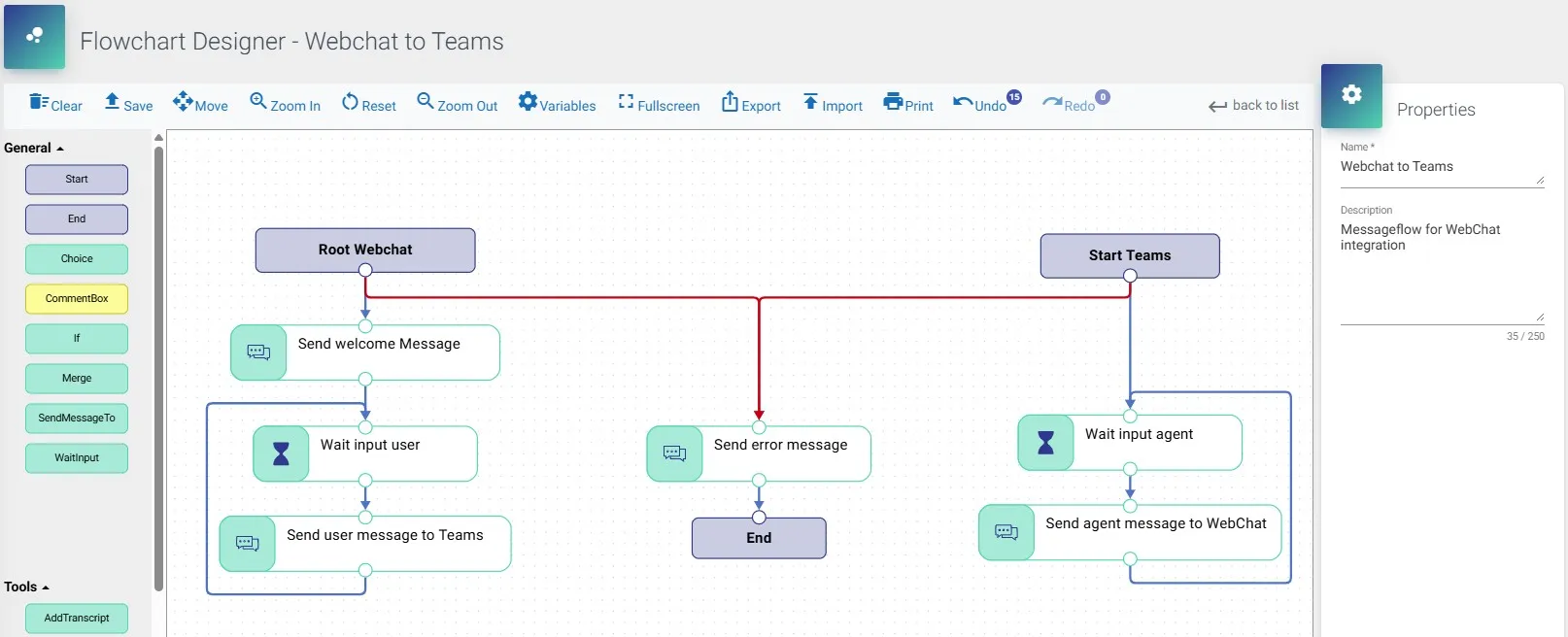
Drag & Drop
To add an action in the flow select it at the left panel and drag & drop into the “flow area”.
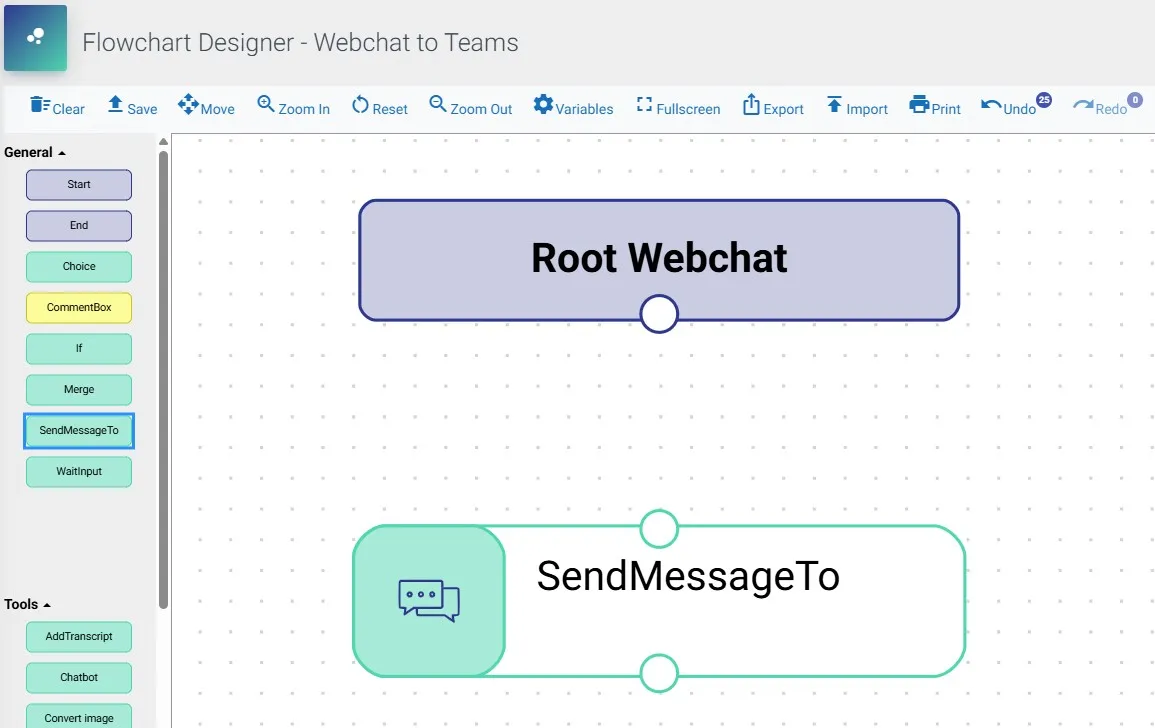
For example, to add the action “SendMessageTo” to your flow select it at the left and drag & drop it in the “Flow area”.
Create a link between actions
To connect two actions, you must select one action, select a “dot” and drag it to the other actions “dot”.
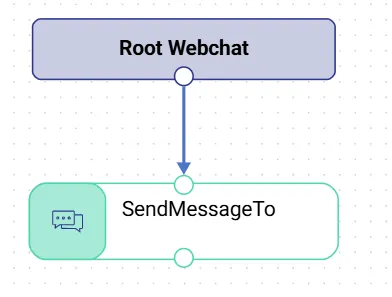
A link or connection can also have different types and values, select the link and see the options in the “Link Properties” right panel.
Graphical Designer offers useful options like:
- Export/Import – This option allows to export/import configuration of the flow. You can decide whether you want to export it with expressions or not. Useful option for making demos, templates and showing them to customers or other engineers.
- Print – This option allows to print configuration of the flow. Upon pressing the button, new page will be open where you can decide how you want to print the flow, or save it as PDF file.
- Copy & Paste – The Graphical Designer offers copy and paste functionality. This allows you to copy highlighted actions and paste them within the same flow (actions cannot be copied and pasted between different flows). Once the actions are highlighted, use the “CTRL + C” shortcut to copy and “CTRL + V” to paste, or hold the “CTRL” key while dragging the highlighted block. Be sure to rename the copied actions, as all details are duplicated.
- Undo & Redo – It is possible to Undo/Redo your changes up to 50 actions. If you edit your flow after undoing couple of changes, you will lose Redo option.