


Use webchat form to recognize customer

You can present webchat users a pre-webchat form. In this form it’s possible to ask the user to enter his/her email address. This information then can be used to perform a lookup in the CRM Replicator and show the webchat user data when the conversation is routed to a teams channel.
Start with creating a flow and add ‘GetFormInput’ from the menu on the left.
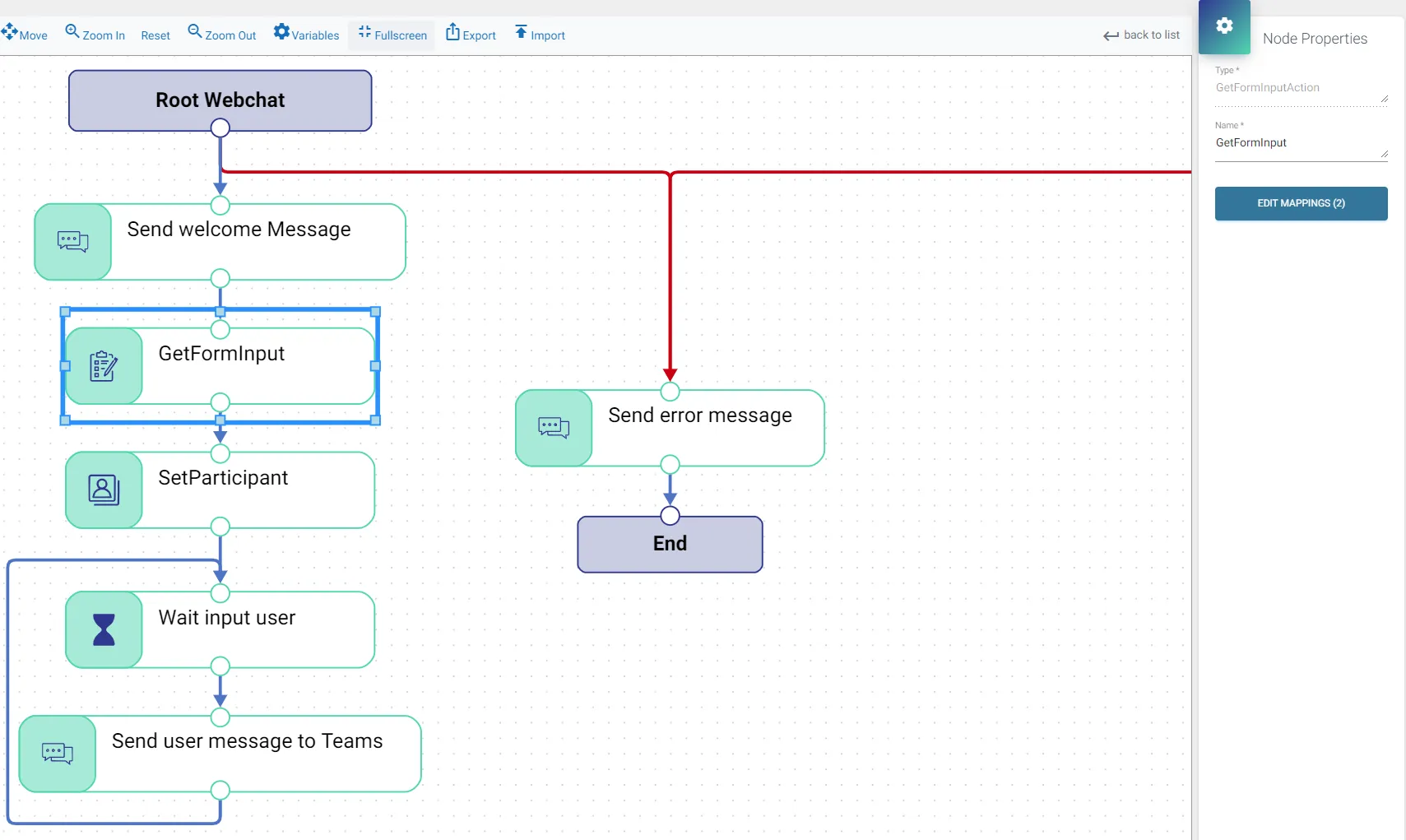
Click the ‘Edit Mappings’ button on the right.
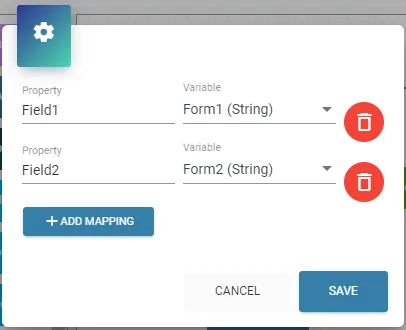
Here you can create & assign variables to the inputboxes (Field1, Field2 etc.) from the pre-webchat form. Now that we have the webchat-user data in variables, we can set these variables to set the identity. For this, add the ‘SetParticipant’ component.
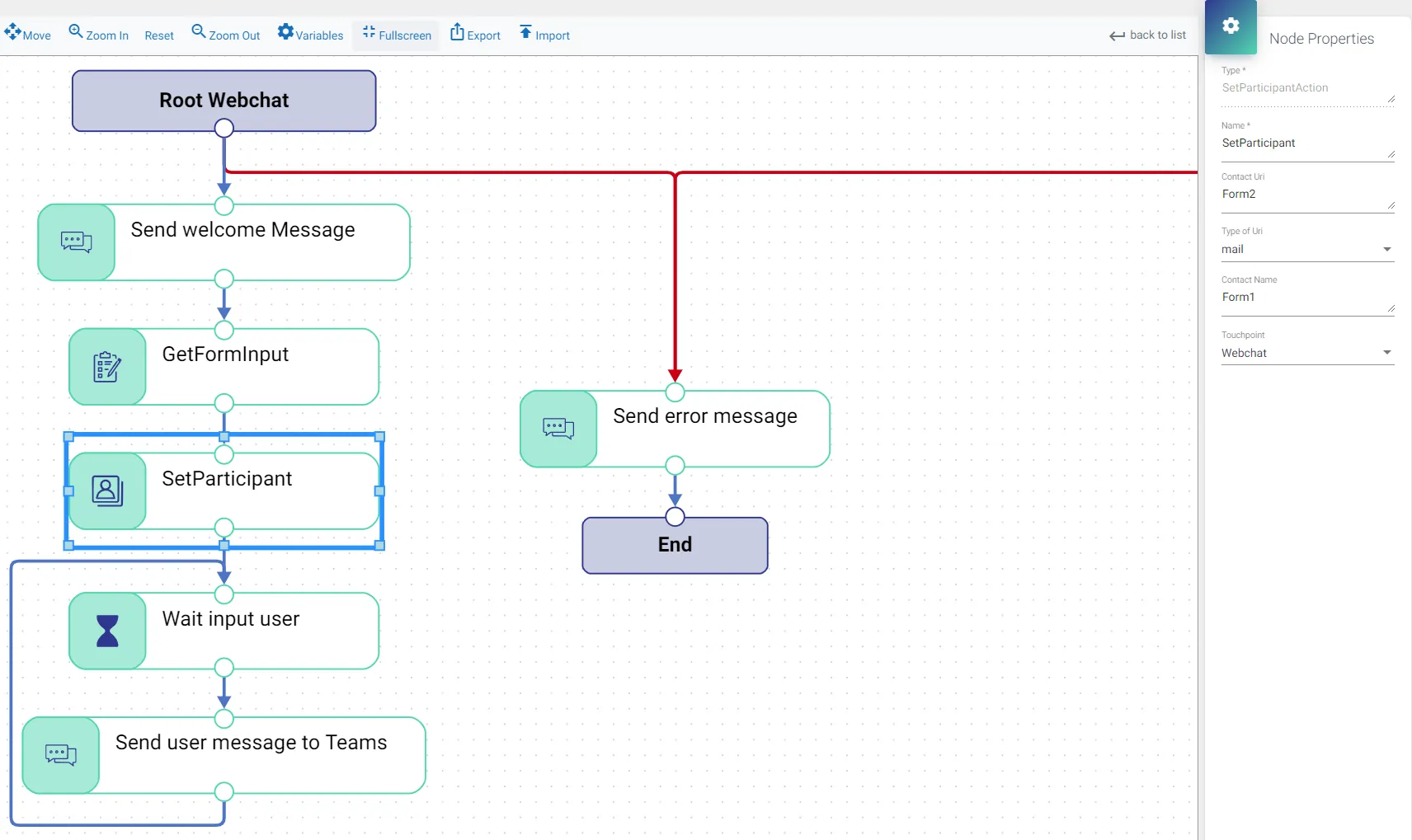
In this example we have inserted the email address into the variable ‘Form2’. By adding this variable at the property ‘Contact Uri’ and setting the ‘Type of Uri’ to mail we have assigned the email address to the user. We can also assign the name, which is in variable ‘Form1′, by entering that variable at Form1.
After assigning the variables to the webchat user, ROGER365.io will try to match the info with the data from a datasource in the CRM Replicator and will show the customers’ full information in the Teams channel.